MagDock icon

Phantom CineMag,
native on Apple silicon

Play your takes straight from the CineMag and offload them as lossless .cine files, on any Apple silicon Mac. No Intel-only SDK, no Rosetta, no Windows PC on the cart.

7-day free trial · Version 0.9.0 beta · macOS 14 or later · Apple silicon

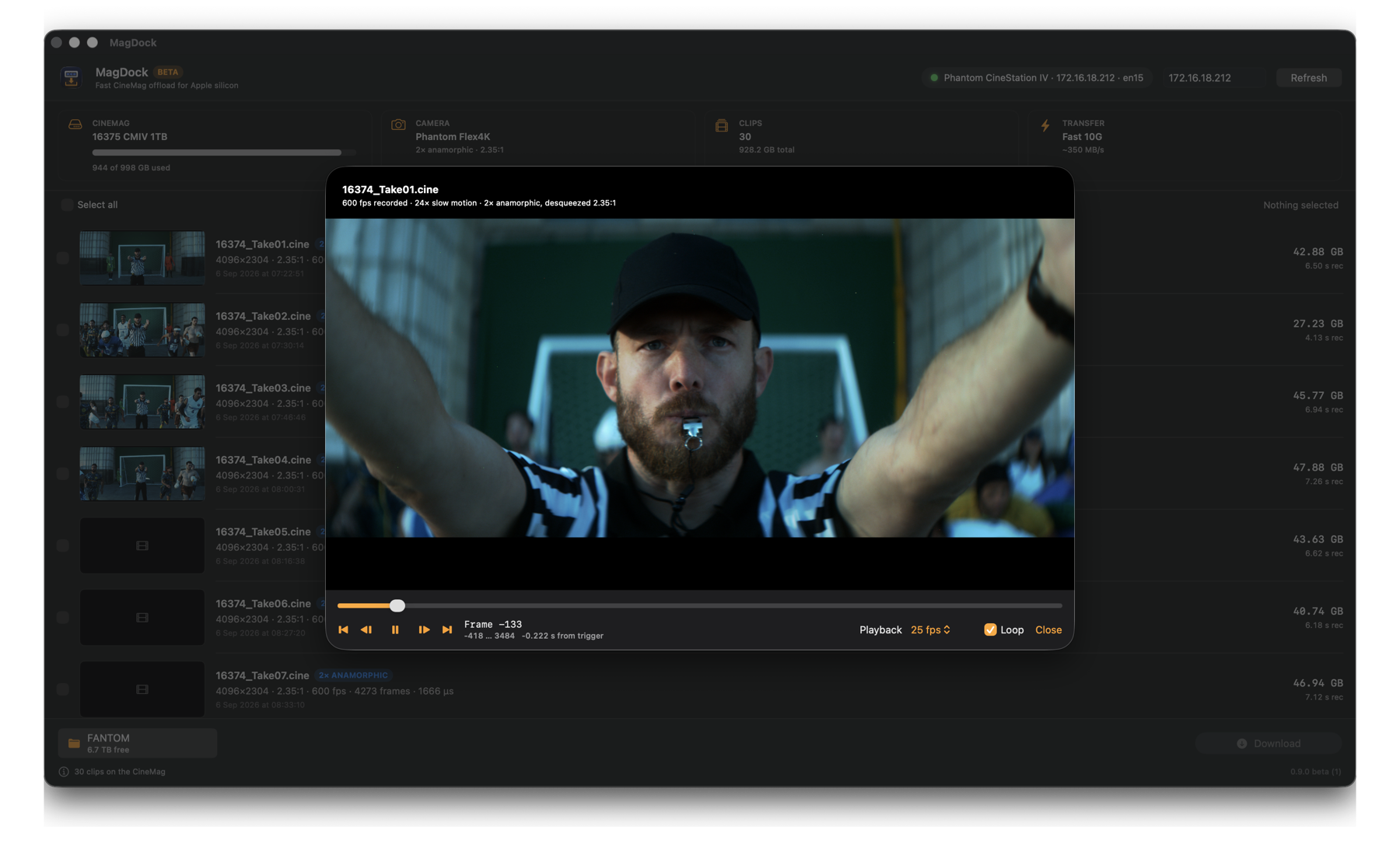
MagDock playing a 2× anamorphic Phantom Flex4K take straight from the CineMag
Apple siliconnative arm64 app, signed and notarized
Playbackscrub and play takes before you copy them
Direct offloadCineMag to your drive as lossless .cine

Watch every take before you copy it

Double-click a clip and it plays straight from the CineMag, in slow motion at your playback rate, with the camera's own color and the anamorphic squeeze undone.

▶︎

Play, scrub, step

Play at 12–50 fps, loop, drag to any frame or step frame by frame with the arrow keys. Frame numbers and time from the trigger are always shown.

🎨

The camera's look

Uses the clip's color matrix and tone curve, so what you see matches DaVinci Resolve's "Decode using Clip".

↔︎

Anamorphic aware

Detects the squeeze factor and viewing area set on the camera. 2× anamorphic takes play and thumbnail at their real 2.35:1 shape.

Offload straight from the CineMag

Connect the CineStation to your Mac, pick the takes, choose a drive.

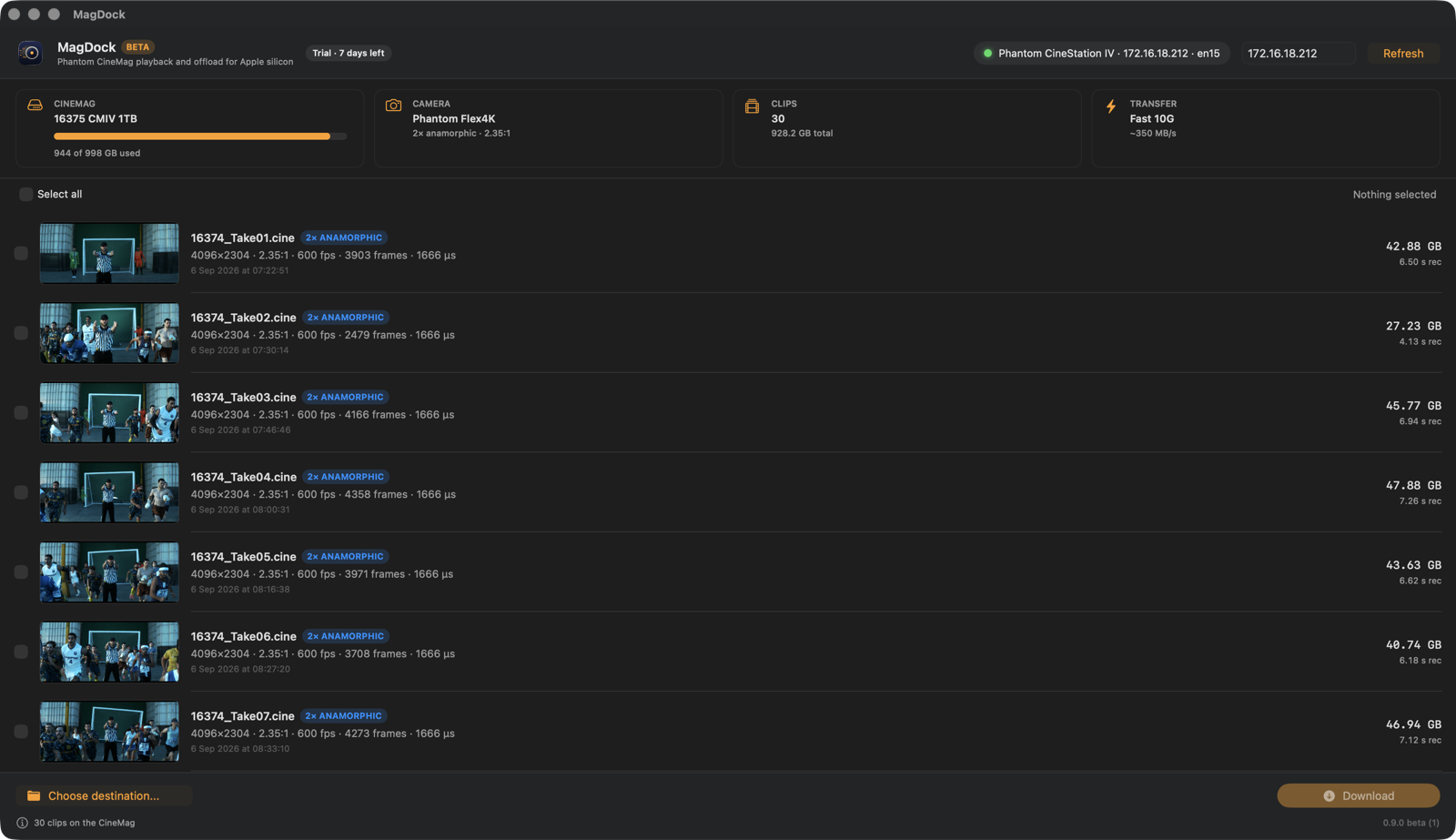
MagDock clip list with thumbnails, details and CineMag capacity
🎞️

Lossless .cine

Raw P10 frames exactly as stored on the mag, with per-frame timestamps, exposure and the camera's image settings. Opens in DaVinci Resolve.

⚡

Full 10GbE speed

About 350 MB/s using the CineStation's raw-Ethernet transfer, so a 40 GB 4K take takes around two minutes.

🔎

Finds the CineStation

Detects it the moment you plug in, even on another subnet, and can set up the Mac's network for you.

🖼️

Thumbnails & details

Preview frame, resolution, aspect ratio, frame rate, frames, duration and trigger time for every take.

🛡️

Safe by default

Checks free space first, never overwrites existing files and never leaves half-written clips behind.

🍏

Nothing else to install

No vendor SDK, no Rosetta, no virtual machine. One small app.

How it works

From mag to drive, without leaving your Mac.

Connect

Cable the CineStation's 10GbE port to your Mac or 10G adapter.

Enable fast mode

One click and your admin password, once. MagDock remembers it.

Review

Browse thumbnails and play any take straight from the mag.

Offload

Select the keepers, choose a drive and download.

Why MagDock

The vendor's SDK only runs on Intel Macs. MagDock talks to the CineStation directly, natively on Apple silicon.

MagDockIntel-only vendor tools
Runs natively on Apple siliconYesNo
Play takes straight from the CineMagYesIntel Mac or Windows PC needed
Offload CineMag to .cineYes, ~350 MB/sIntel Mac or Windows PC needed
Anamorphic-aware thumbnails and playbackYes—
Finds the CineStation automaticallyYes—

One price, yours for life

Try everything free for 7 days. Buy once when it has earned its place on your cart.

MagDock Lifetime
$300
one-time payment · no subscription
  • Playback straight from the CineMag
  • Unlimited offload to lossless .cine
  • All your own Macs
  • All 1.x updates included
  • Key works offline, no account needed
Buy MagDock · $300

Secure checkout by Lemon Squeezy · VAT handled for you
Already bought? Find your key

FAQ

The short version.

Which hardware does it support?

Tested with a Phantom CineStation IV and a CineMag IV recorded on a Phantom Flex4K, over a 10GbE Thunderbolt adapter. Other CineStation and CineMag models use the same protocol but have not been tested yet. Please report what you find.

Is playback full quality?

Playback is a preview at half resolution with the camera's color, made for reviewing takes on set. Offloaded .cine files are full resolution and bit-exact.

Why does fast mode ask for my password?

The fast transfer arrives as raw Ethernet packets. macOS only lets administrators read those. MagDock installs a small system script, once, that grants admin users that access, the same approach Wireshark uses.

Will the files open in DaVinci Resolve?

Yes. Files are written as 10-bit packed raw .cine with the camera's image settings, and open in DaVinci Resolve 18.6 with correct color. Playback frame rate currently shows as 30 fps; set the clip's frame rate in Clip Attributes.

How much does it cost?

Every download includes a 7-day free trial with everything unlocked. After that, a lifetime license is a one-time $300. Without a license you can still browse the CineMag, but playback and offload need a key.

How do I get my license key?

Right after payment it appears on screen. You can get it again any time on the license page with your email and order number. Paste it into MagDock → License….

Can I use it on more than one Mac?

Yes. The license is for you, so use it on all of your own Macs. Please buy one license per person.

Is it made by Vision Research?

No. MagDock is an independent product and is not affiliated with or endorsed by Vision Research or AMETEK.
Try it free for 7 days

Phantom CineMag playback and offload for macOS 14 or later on Apple silicon. $300 once when you're ready.

Download MagDock 0.9.0 beta

Release notes · Report a problem